

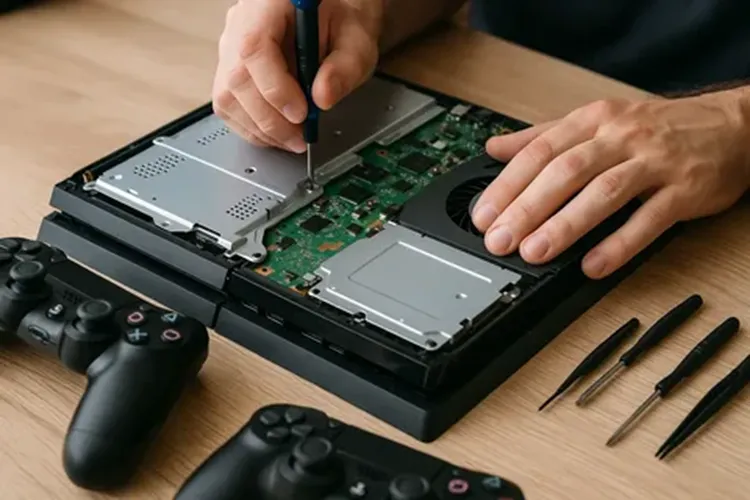
Few things kill gaming plans faster than pressing the power button on your PlayStation and getting nothing back. No light, no fan spin, no familiar startup chime, just silence. Before you assume the worst, it’s worth knowing that a dead-looking console doesn’t always mean a dead console. Many cases that seem like a full failure turn out to be something fixable, which is exactly why understanding the common causes matters before jumping straight to PlayStation repair.
Let’s go through the most frequent reasons a PlayStation won’t power on, starting with the simplest explanations and working toward the ones that genuinely need professional attention.
1. The Power Outlet or Cable Isn’t Actually Working
It sounds almost too obvious, but a surprising number of “dead console” cases come down to a faulty outlet, a loose power strip connection, or a damaged power cable. Try plugging the console into a different outlet entirely, and if possible, test with a different power cable to rule this out first.
2. The Power Supply Has Failed
Every PlayStation has an internal power supply unit responsible for converting wall power into something the console’s components can use. Over time, or due to a power surge, this component can fail. When it does, the console may show absolutely no signs of life, no light, no sound, nothing, even though the outlet and cable are both working fine.
3. Overheating Triggered a Safety Shutdown
Consoles are built with thermal protection that shuts the system down if internal temperatures get too high. If your PlayStation has been running in a poorly ventilated space, sitting in an enclosed cabinet, or hasn’t been cleaned in a long time, dust buildup around the internal fan and vents can cause overheating. In some cases, the console won’t turn back on until it’s had time to cool down, but repeated overheating often points to a ventilation or dust problem that needs addressing.
4. A Faulty or Swollen Battery in the Controller Is Being Mistaken for a Console Issue
This one catches people off guard. Sometimes what looks like a console power failure is actually a wireless controller issue interfering with the pairing or power-on sequence. Try powering the console on using the physical power button directly on the unit rather than the controller, to rule this out.
5. Corrupted System Software
If the console shows some sign of life, like a brief light or sound, but doesn’t fully boot, corrupted system software could be the cause. This sometimes happens after an interrupted update or an unexpected shutdown during a software installation. Depending on the severity, this may require booting into safe mode or, in more serious cases, professional intervention to avoid data loss.
6. HDMI Port or Cable Issues Being Mistaken for a Power Problem
Sometimes the console is actually turning on, but a faulty HDMI cable or port prevents any picture from reaching the TV, giving the impression that nothing is happening at all. Check for the power indicator light or listen for the fan and disc drive activity. If you hear those but see no picture, the issue is likely display-related rather than a true power failure.
7. A Failing Motherboard
This is one of the more serious causes, and unfortunately, one that’s difficult to diagnose without professional tools. If the power supply, cables, and outlet have all been ruled out and the console still won’t respond at all, motherboard failure becomes a strong possibility. This typically requires a technician to properly diagnose and address.
8. Blocked or Failing Internal Fan
A fan that’s stopped spinning properly, whether from dust, age, or mechanical failure, can trigger the same thermal safety shutdown mentioned earlier, except this time the console may refuse to power on at all as a precaution. This is a common and often fixable issue once identified.
9. Liquid or Physical Damage
If the console has been exposed to spills, dropped, or otherwise physically damaged, internal components may be affected in ways that aren’t visible from the outside. Powering on a console with unresolved liquid damage can cause further harm, so this is a case where professional inspection before attempting to turn it on again is genuinely important.
10. A Genuinely Dead or Failing Power Button
Less common, but it happens. The power button itself, or the ribbon cable connecting it to the motherboard, can fail over time or after repeated heavy presses. If the console works fine when powered on through other means (such as inserting a disc while off, on some models) but not through the button itself, this is likely the culprit.
What to Do Before Assuming the Worst
Start with the simple checks: outlet, cable, HDMI connection, and dust buildup around the vents. These account for a meaningful share of “dead” console cases and cost nothing to rule out. If those don’t resolve it, avoid repeatedly attempting to force a power-on, especially if you suspect overheating, liquid exposure, or a hardware fault, since this can sometimes worsen the underlying issue.
Conclusion
A PlayStation that won’t turn on isn’t always as serious as it looks. Outlets, cables, dust, and overheating cause a large share of these cases and are worth checking first. But when the cause turns out to be internal, a failing power supply, motherboard, or fan, guessing further can do more harm than good. At that point, professional Console Repair in Dubai is the safer, more reliable route to getting your system working again.
800fixing is a Dubai-based repair service that handles console issues alongside its wider range of device repairs, including PlayStation units that won’t power on. Their technicians diagnose the root cause, whether it’s a failed power supply, overheating, or a failing motherboard, before recommending a fix, helping gamers avoid unnecessary part replacements and get their console reliably back up and running.